Employee self-service
The Figma screens focus on immediate answers: today’s attendance, leave balances, latest payslip, profile information, documents and exit progress.
Speed + clarity + confidenceCASE STUDY Built for life at Zenesys
Life at Zenesys brings the workday, people and essential HR tasks together in one familiar place for employees and HR teams.
Designed for Zenesys employees and authorized HR/Admin teams.
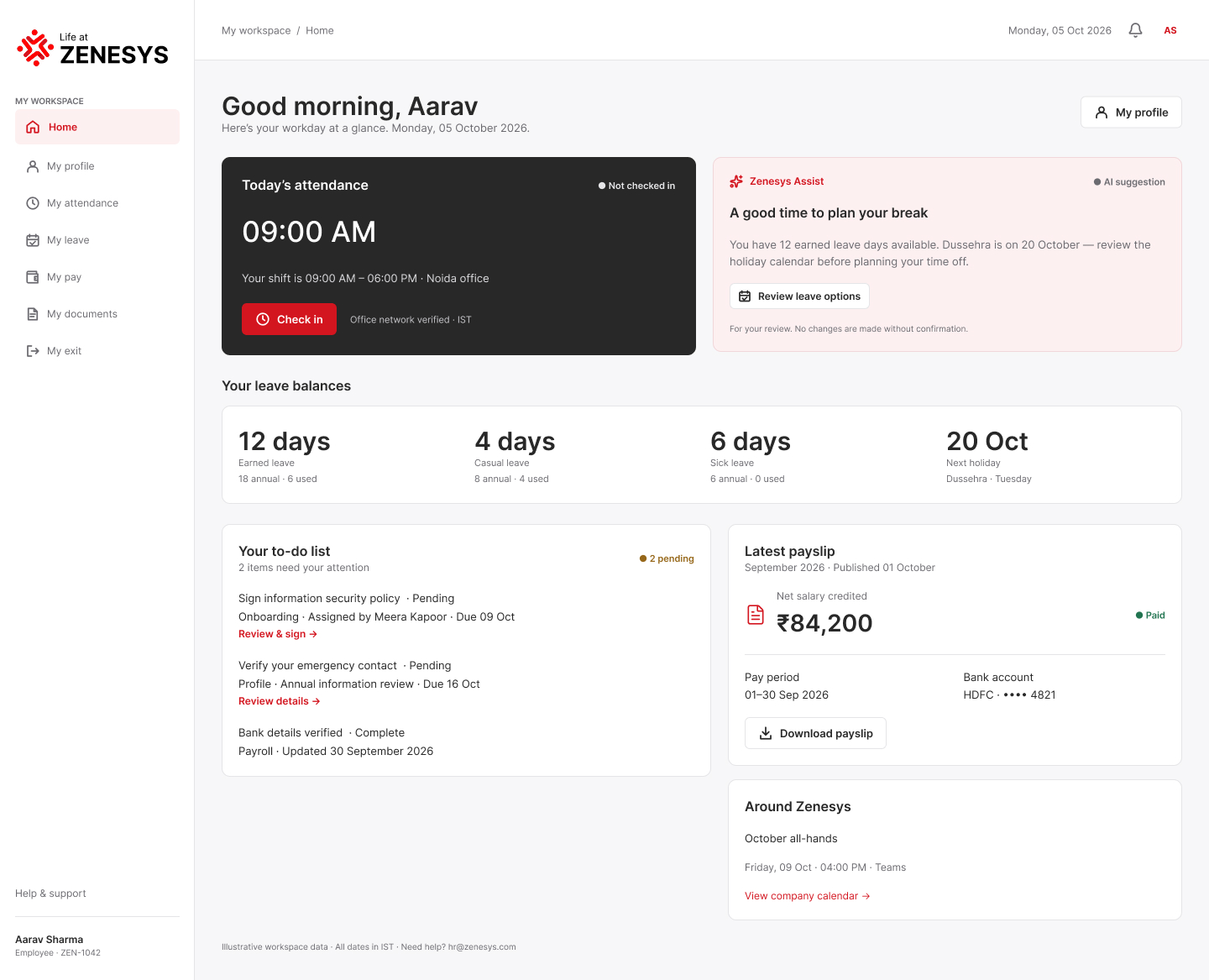
Your shift is 09:00 AM – 06:00 PM · Noida office
Office network verified · ISTA familiar workspace. A clearer workday.
01 / Executive summary
Life at Zenesys is positioned in the Figma design as a single employee and HR workspace rather than a collection of disconnected HR modules.
The landing experience makes the product promise immediate: “Your workplace, simplified.” From the first screen, users can understand the two access paths—Employee Login and Admin Login—and preview the information that matters during a normal workday.
Reduce the number of places users need to look.
Bring people, workday information and HR tasks into one system.
Separate employee self-service from HR/Admin operations.
Carry the same product language from desktop to mobile.
02 / Product story
The Figma landing page introduces the product through a compact navigation model: Overview · Employees · HR teams · AI assistance.
Employee information, profiles and organizational context stay accessible from the same product.
Check-in, shift information, workday status and attendance history are surfaced clearly.
Leave balances, payslips and pay information are presented as everyday self-service tasks.
Employee documents and secure document workflows are part of the same experience.
Onboarding, offboarding and exit formalities extend the product across the employee lifecycle.
HR teams get denser management views for people, attendance, leave, payroll and documents.
03 / The challenge
The product has two very different usage patterns. Employees need fast answers and self-service. HR teams need visibility, control and high-volume operational tools.
Login → Dashboard → Attendance → Leave → Pay → Documents → Profile → Exit
Login → Overview → Employees → Attendance → Leave → Policies → Payroll → Documents → Onboarding / Offboarding
The design therefore has to balance a light, approachable product story with information-dense enterprise screens underneath it.
04 / The problem
The Figma screens focus on immediate answers: today’s attendance, leave balances, latest payslip, profile information, documents and exit progress.
Speed + clarity + confidenceManagement screens introduce summary metrics, tables, filters, status badges, approval actions, payroll controls and secure document handling.
Visibility + control + efficiency05 / The solution
Dashboard, profile, attendance, leave, pay, documents and exit are organized around frequent self-service tasks.
Overview, employee management, attendance, leave approvals, holidays & policies, payroll, onboarding/offboarding and documents support operational work.
The landing page explicitly reserves a product story for AI assistance, positioning it as part of the workplace experience rather than a separate product.
06 / My role
Role-based journeys, navigation, information architecture and lifecycle workflows.
User flows, hierarchy, task structure, responsive behavior and progressive disclosure.
Landing page, dashboards, forms, tables, cards, status badges and responsive states.
Inter typography, red brand accent, neutral surfaces, action states, borders and reusable components.
Desktop and mobile screen families were designed as intentional layouts, not simple scaled-down screens.
07 / Understanding the user
Job: Get an HR task done without depending on HR.
Job: Manage people and HR operations with confidence.
08 / Information architecture
Dashboard · Profile · Attendance · Leave · Pay · Documents · Exit
Frequent actions first. Detail appears when needed.Overview · Employees · Attendance · Leave approvals · Holidays & policies · Payroll · Onboarding / Offboarding · Documents
Summary first, then dense operational views.09 / Screens
The Figma design contains 17 product areas, each with dedicated desktop and mobile frames. Instead of presenting them as a flat list, this section explains what each screen is responsible for and shows the corresponding Figma frame directly.
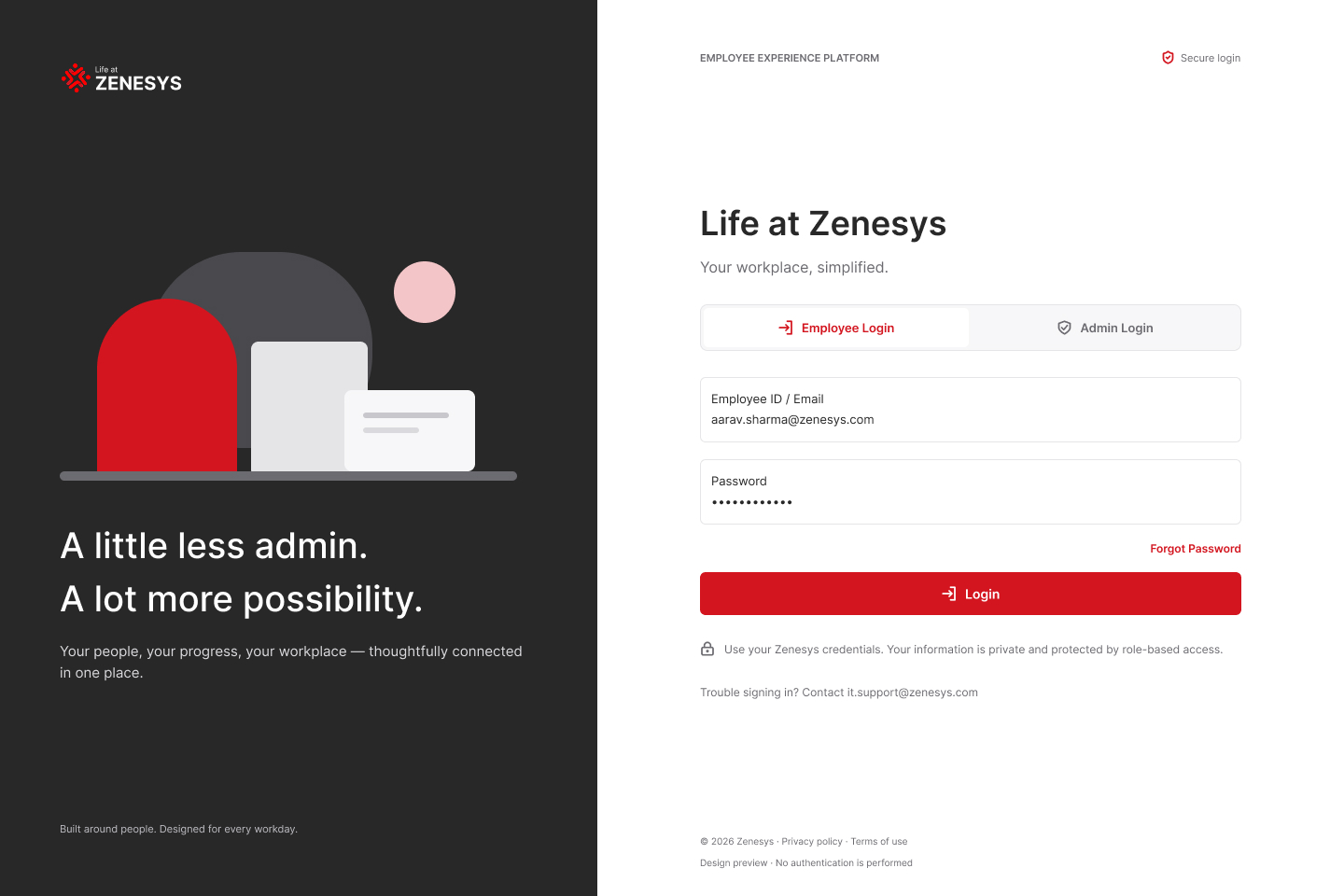
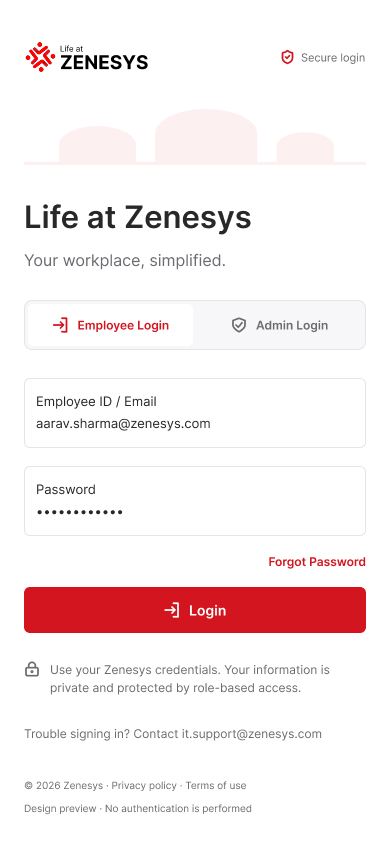
Explore the employee login experience across desktop and mobile, with the responsive layouts designed as a connected product family.
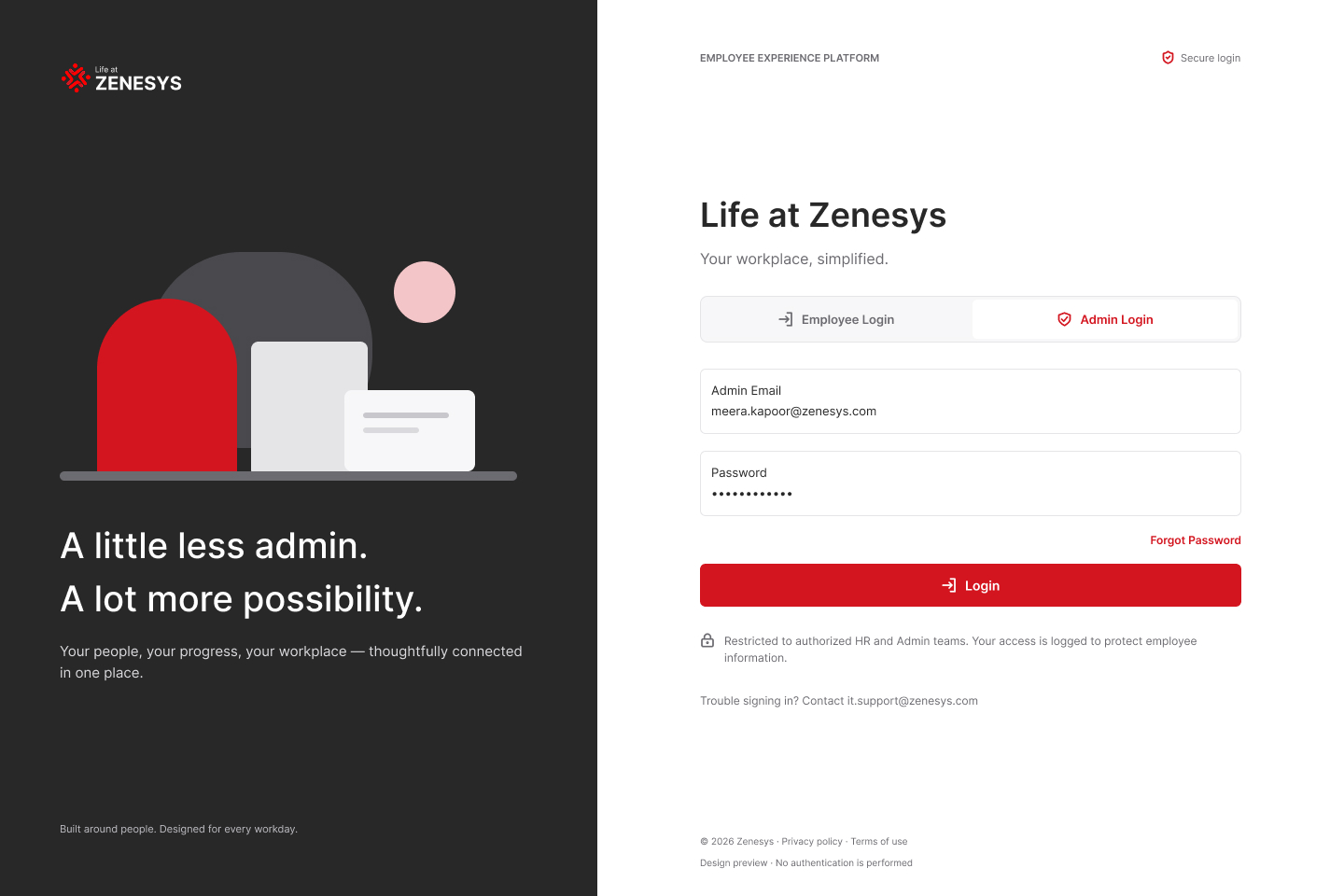
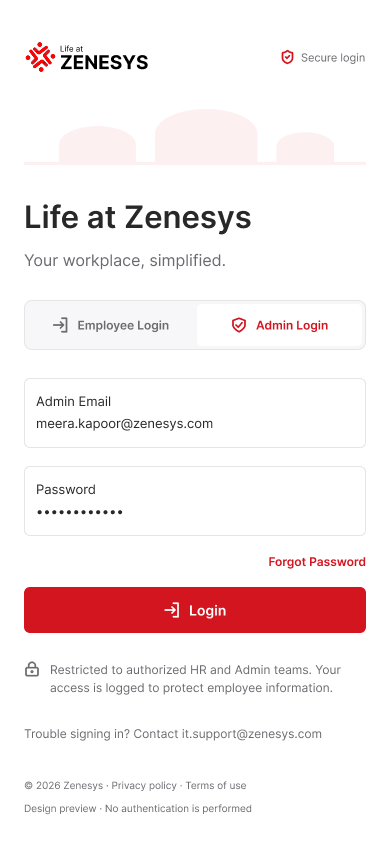
Explore the admin login experience across desktop and mobile, with the responsive layouts designed as a connected product family.
Explore the employee dashboard experience across desktop and mobile, with the responsive layouts designed as a connected product family.

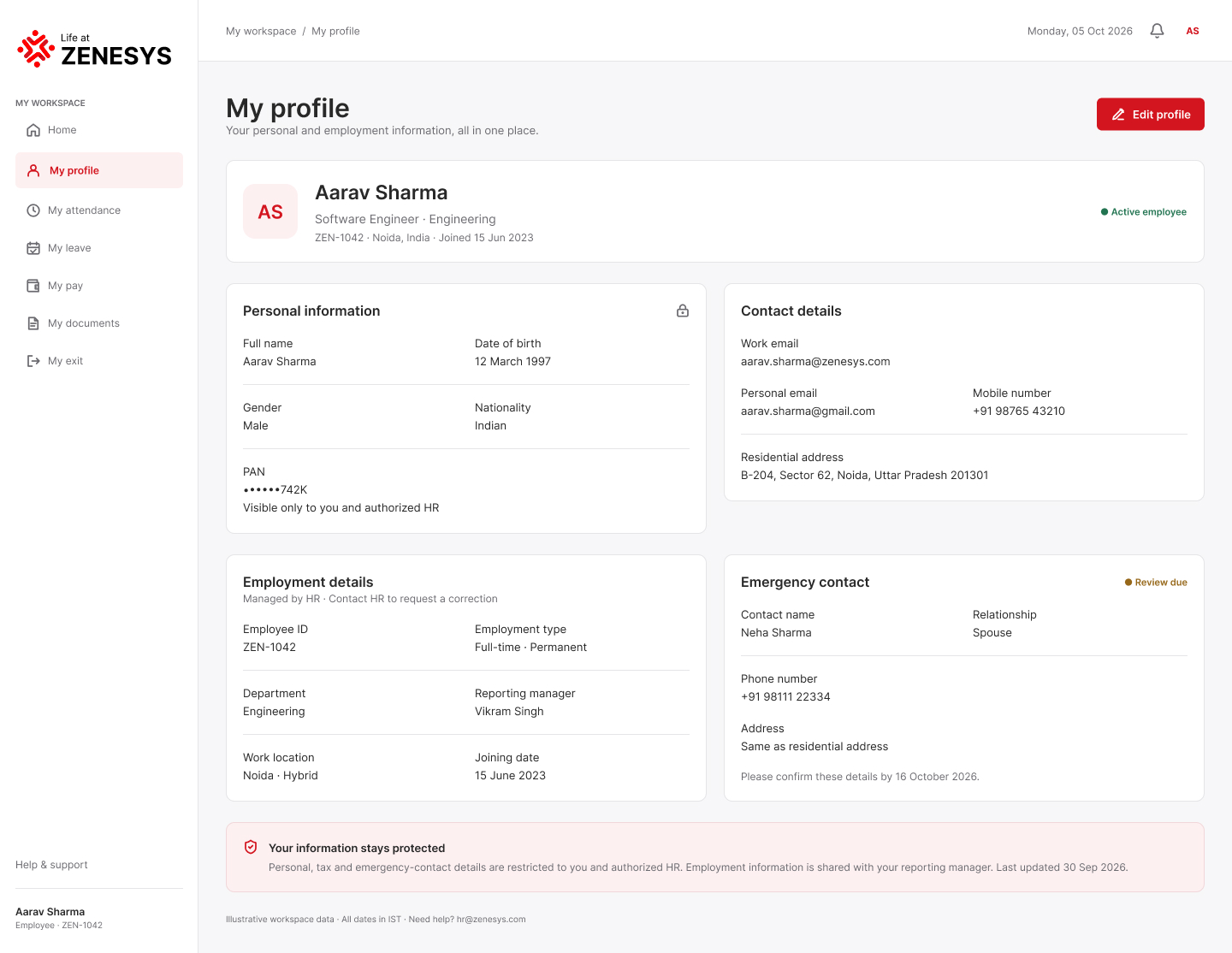
Explore the my profile experience across desktop and mobile, with the responsive layouts designed as a connected product family.

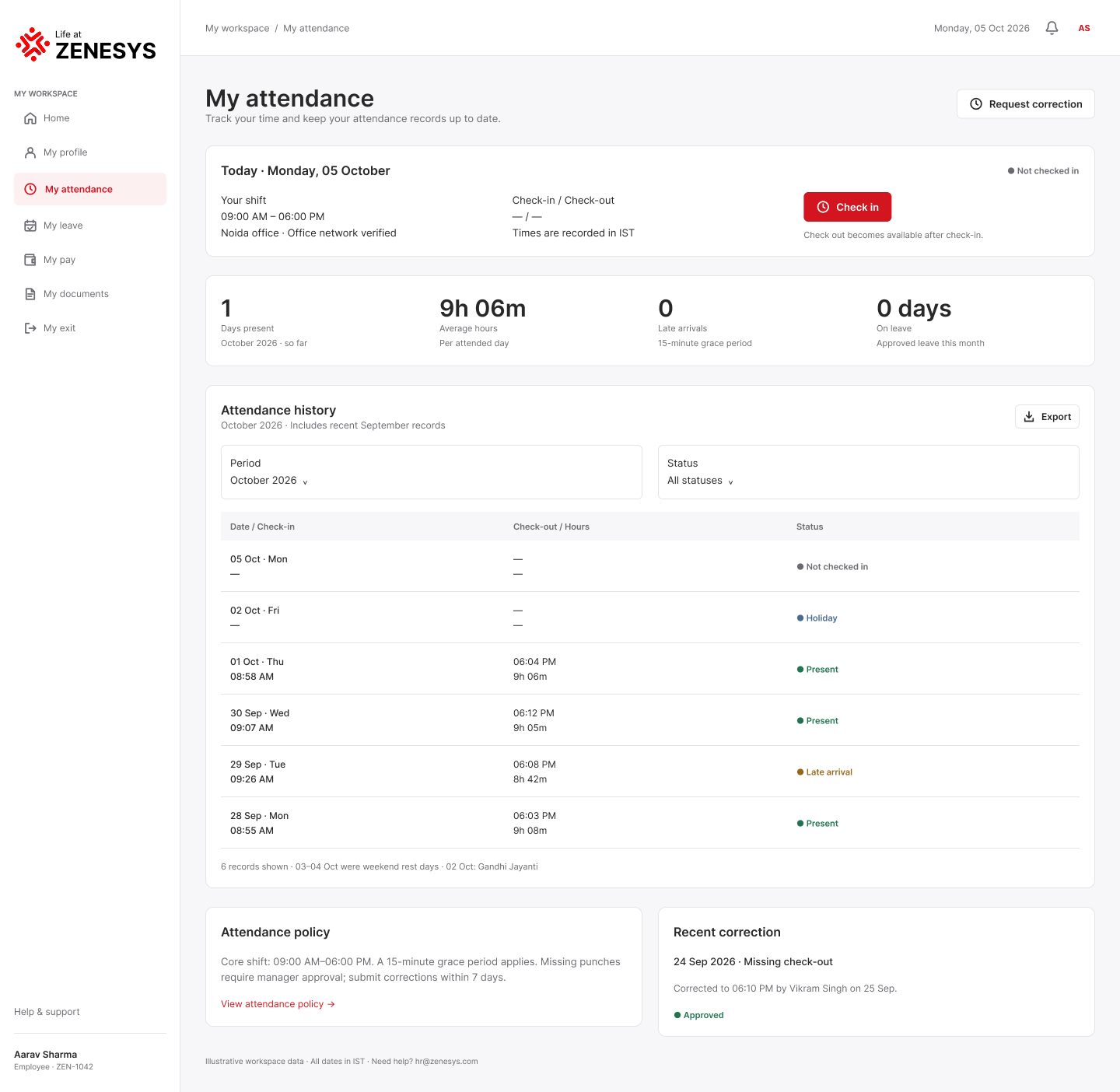
Explore the my attendance experience across desktop and mobile, with the responsive layouts designed as a connected product family.

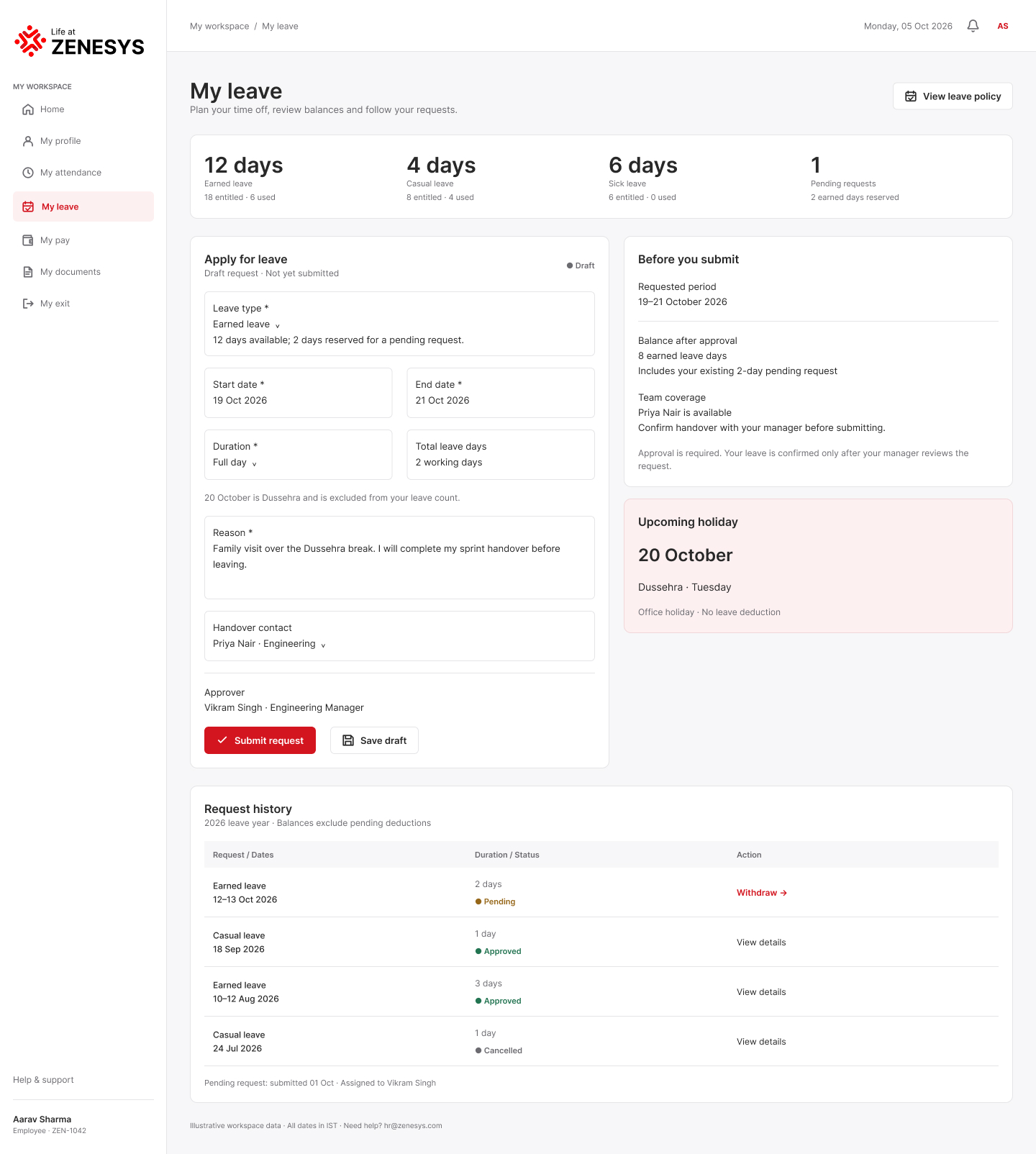
Explore the my leave experience across desktop and mobile, with the responsive layouts designed as a connected product family.

Explore the my pay experience across desktop and mobile, with the responsive layouts designed as a connected product family.
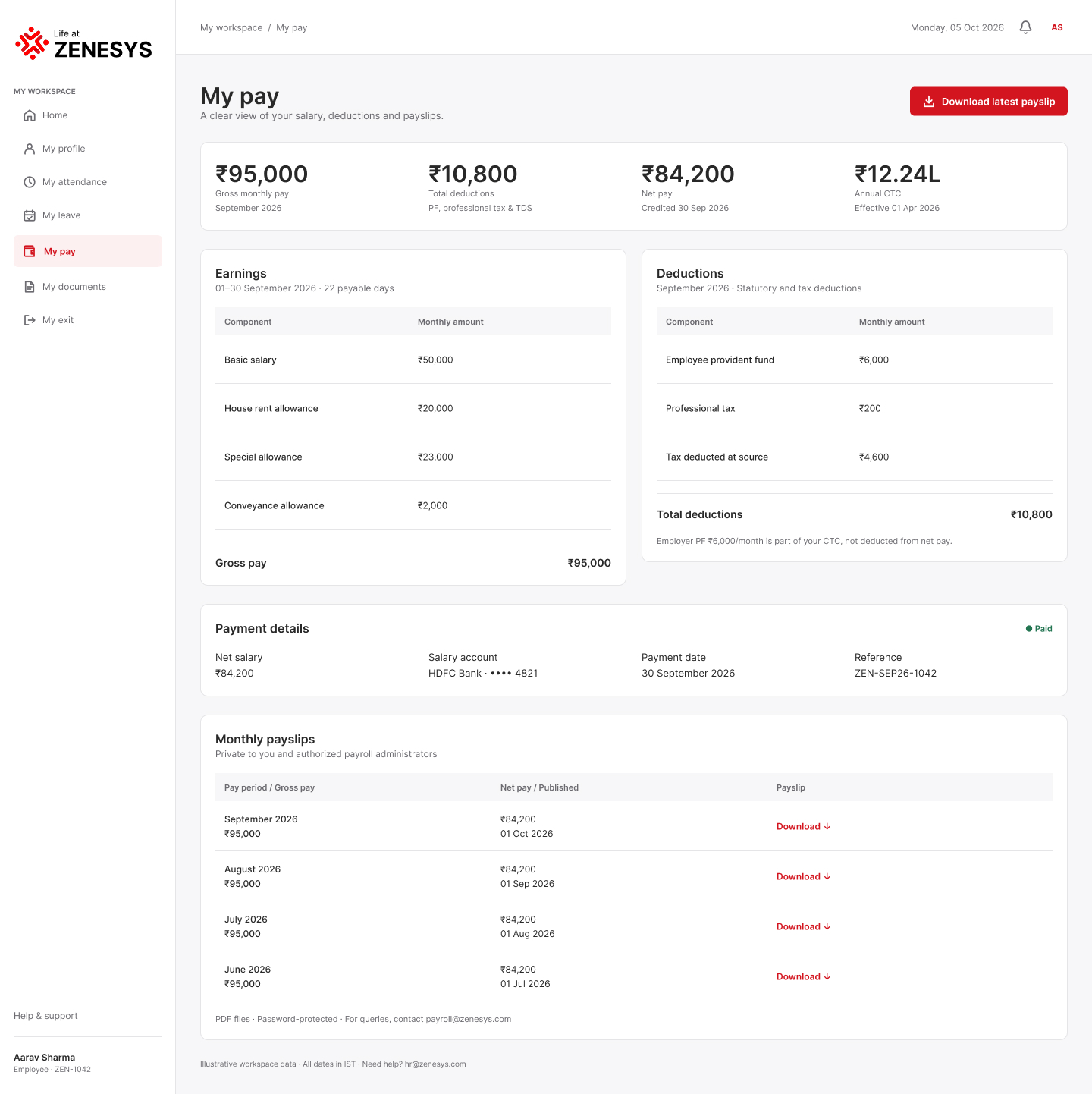

Explore the my documents experience across desktop and mobile, with the responsive layouts designed as a connected product family.
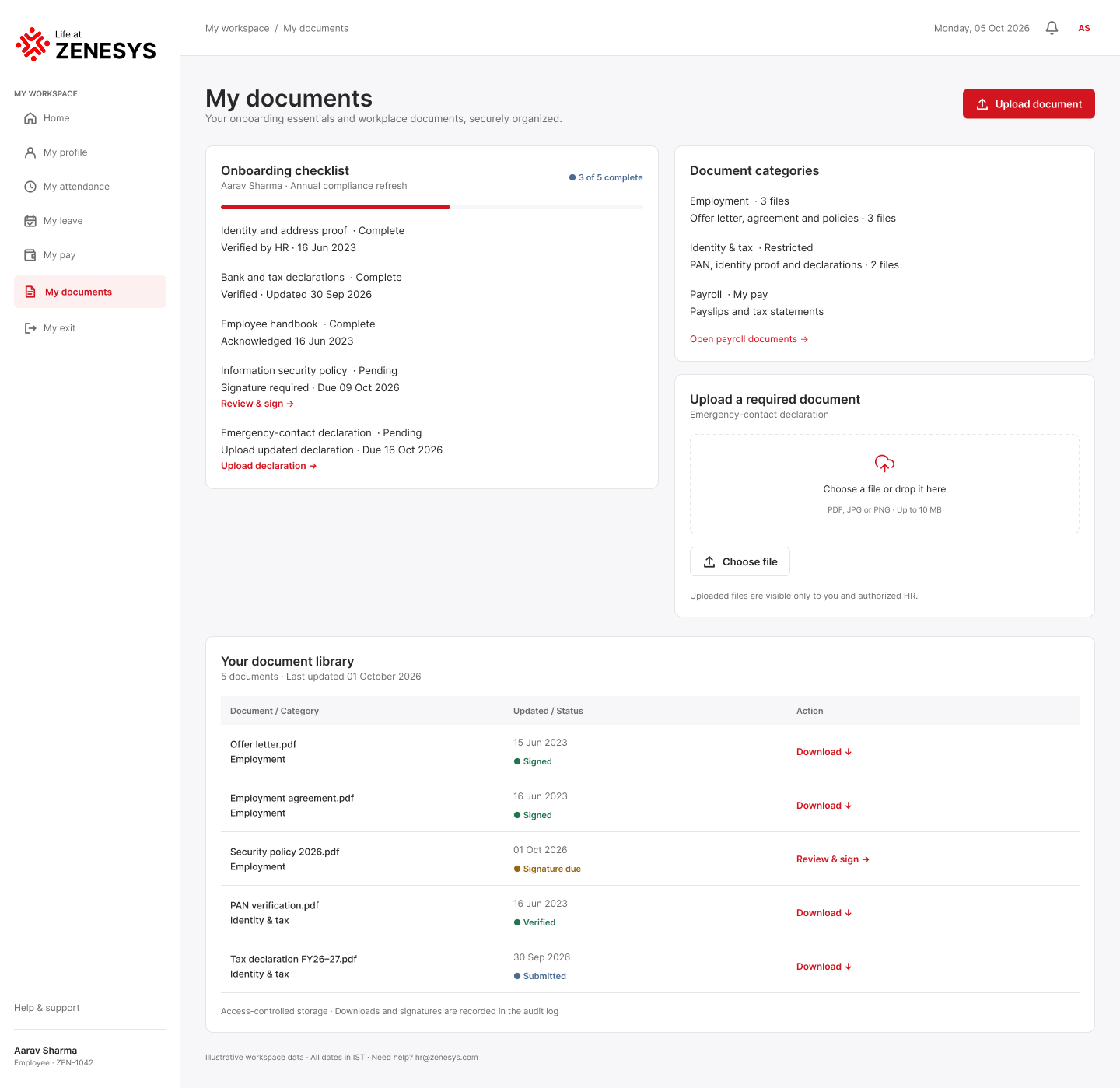

Explore the my exit experience across desktop and mobile, with the responsive layouts designed as a connected product family.
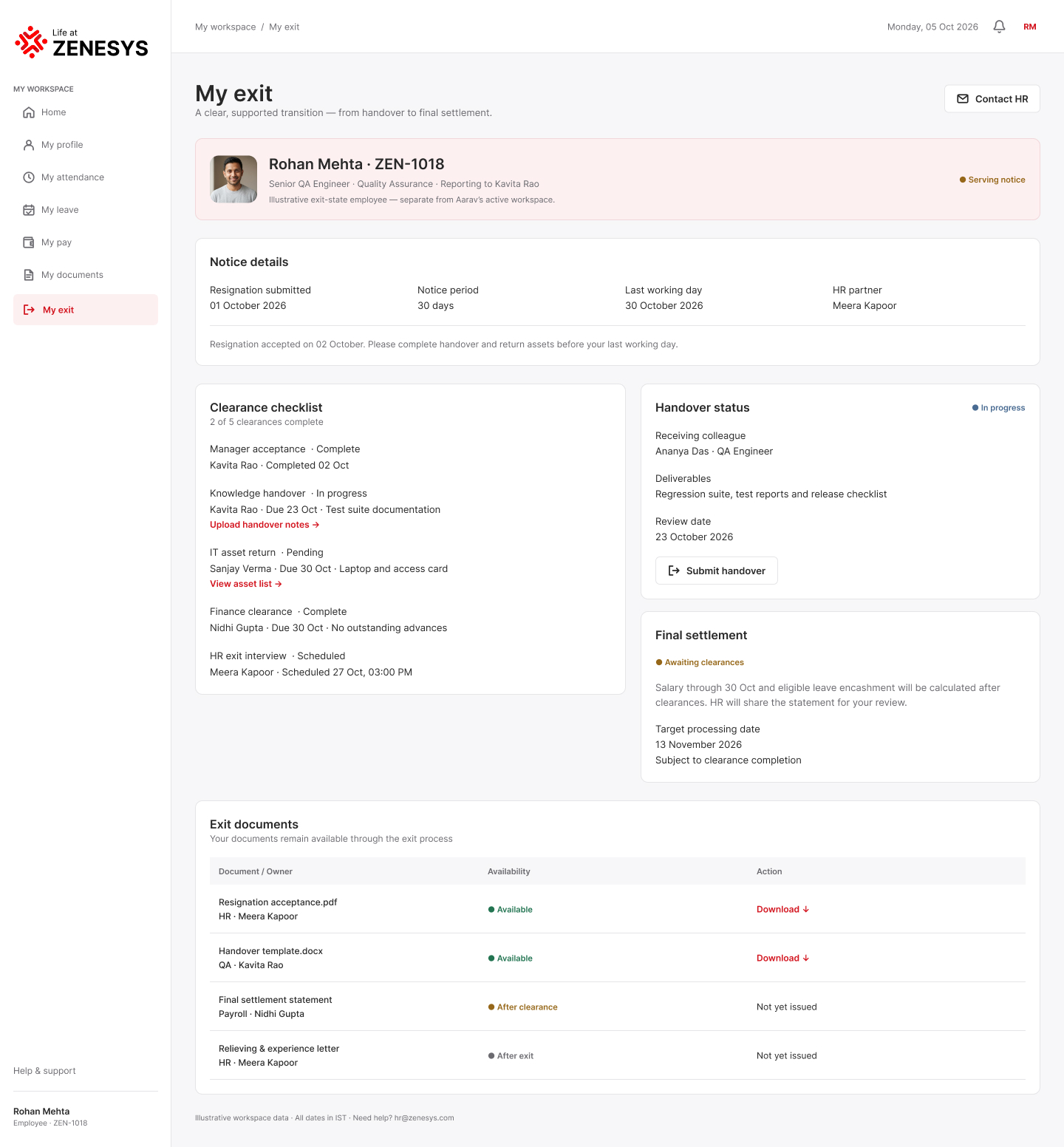

Explore the hr overview experience across desktop and mobile, with the responsive layouts designed as a connected product family.
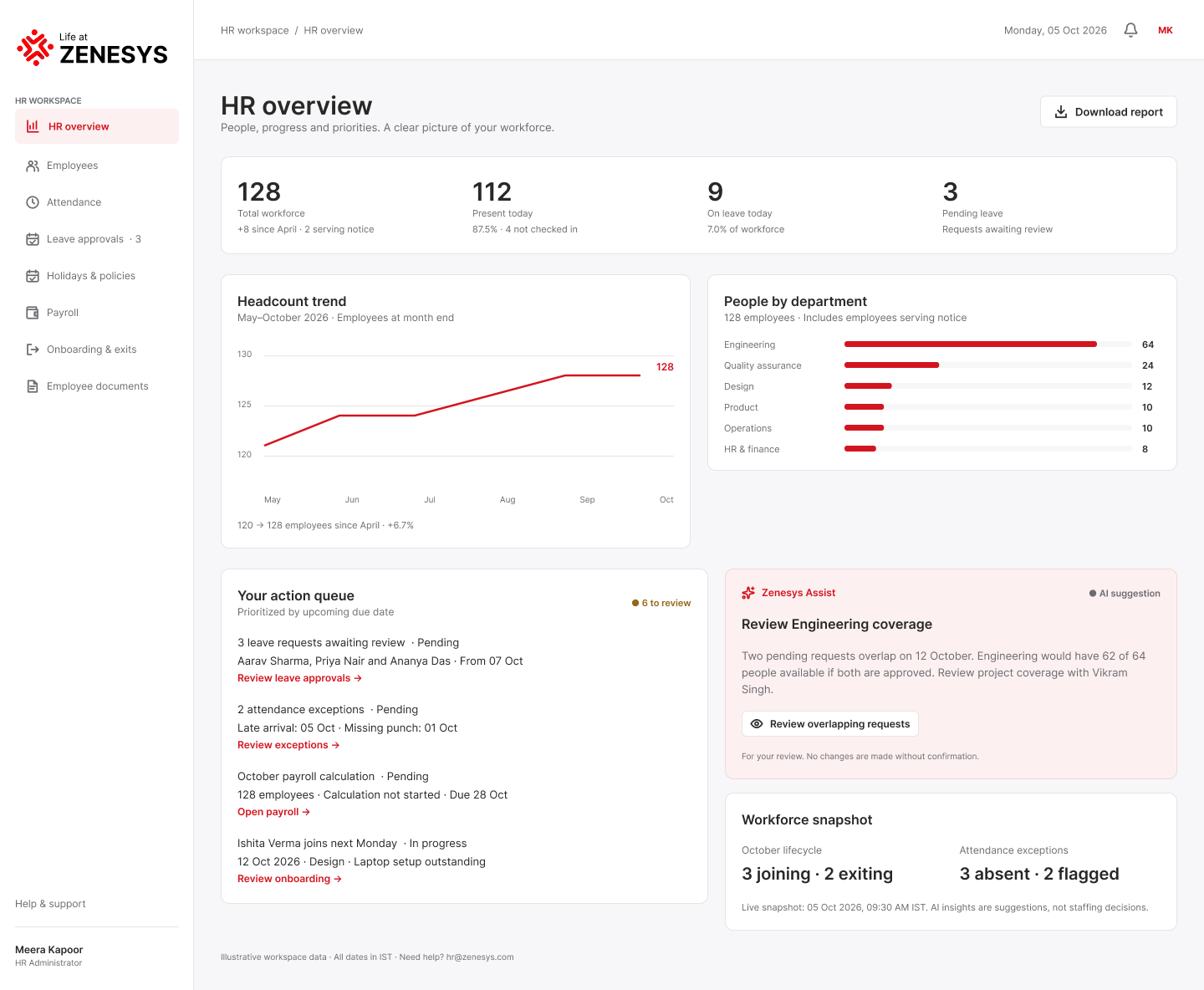

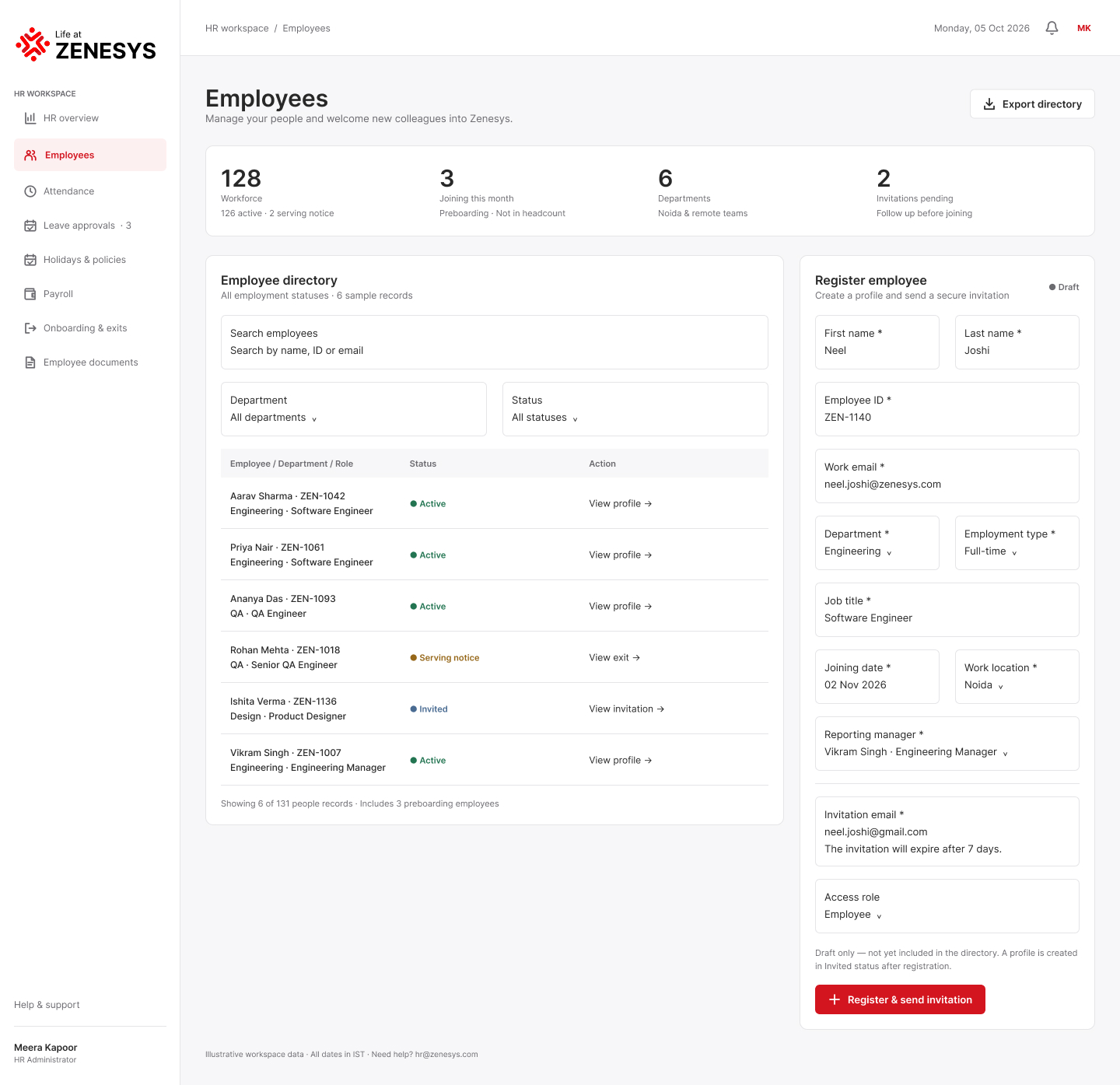
Explore the employees experience across desktop and mobile, with the responsive layouts designed as a connected product family.

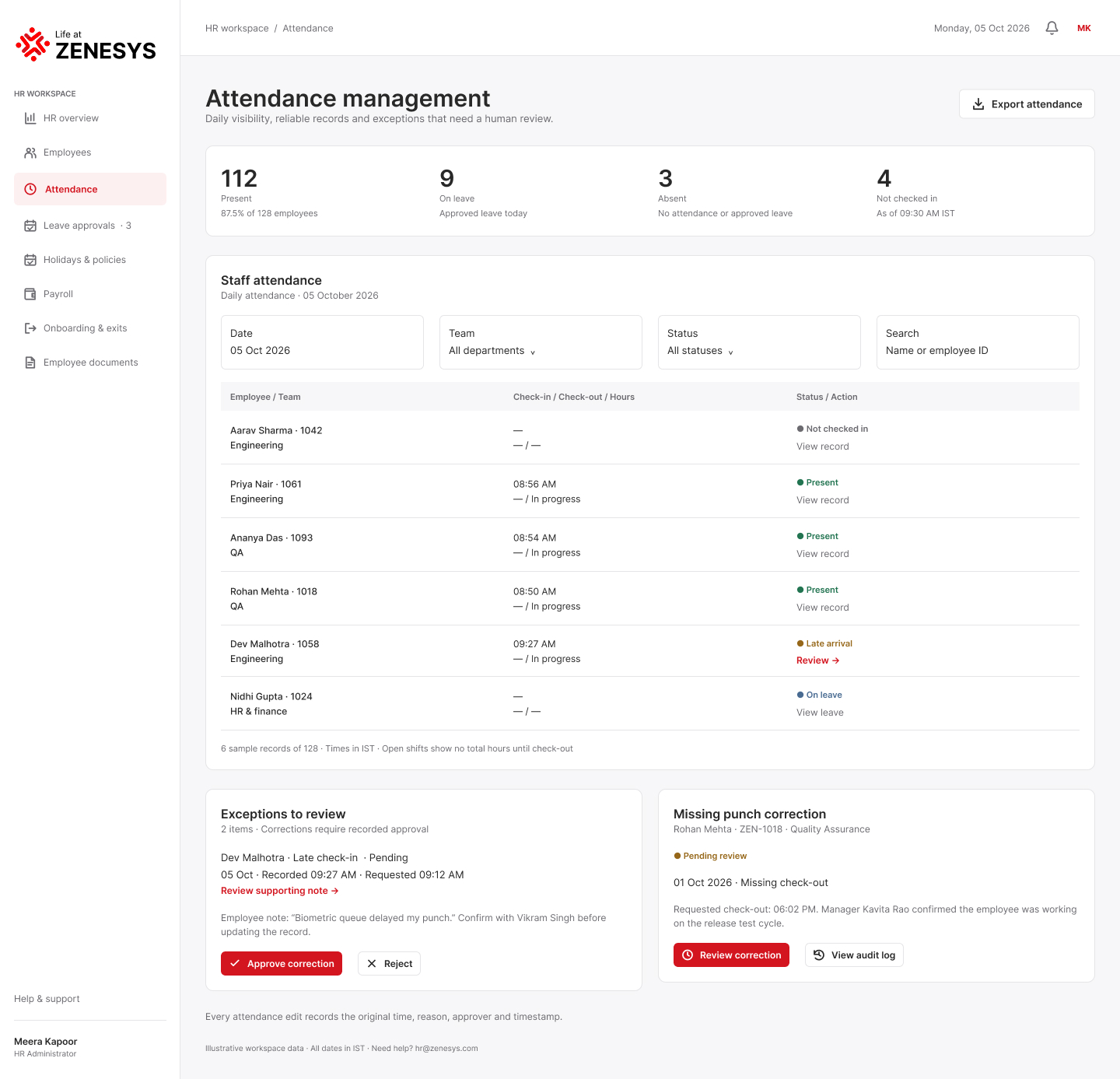
Explore the attendance management experience across desktop and mobile, with the responsive layouts designed as a connected product family.

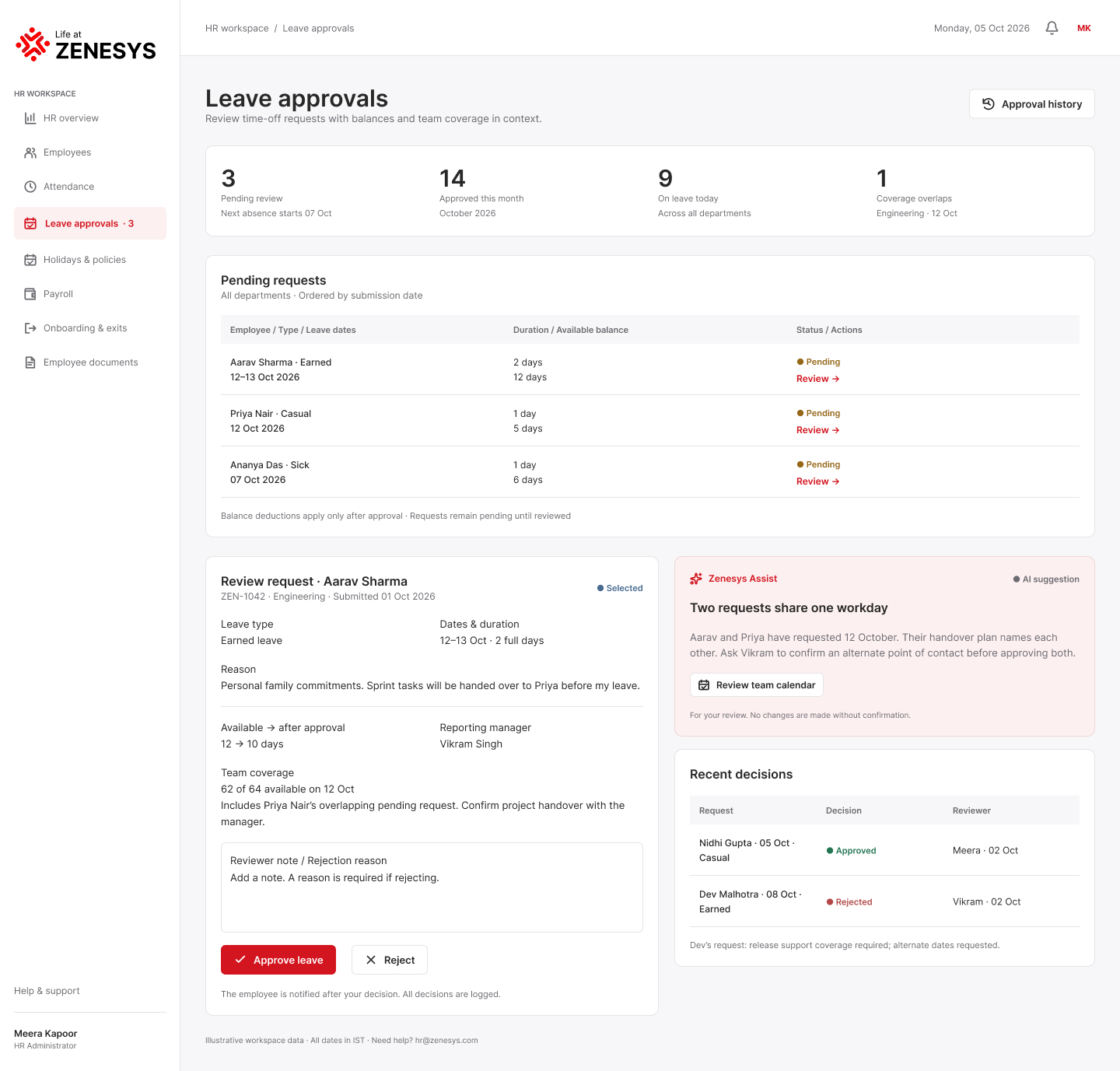
Explore the leave approvals experience across desktop and mobile, with the responsive layouts designed as a connected product family.

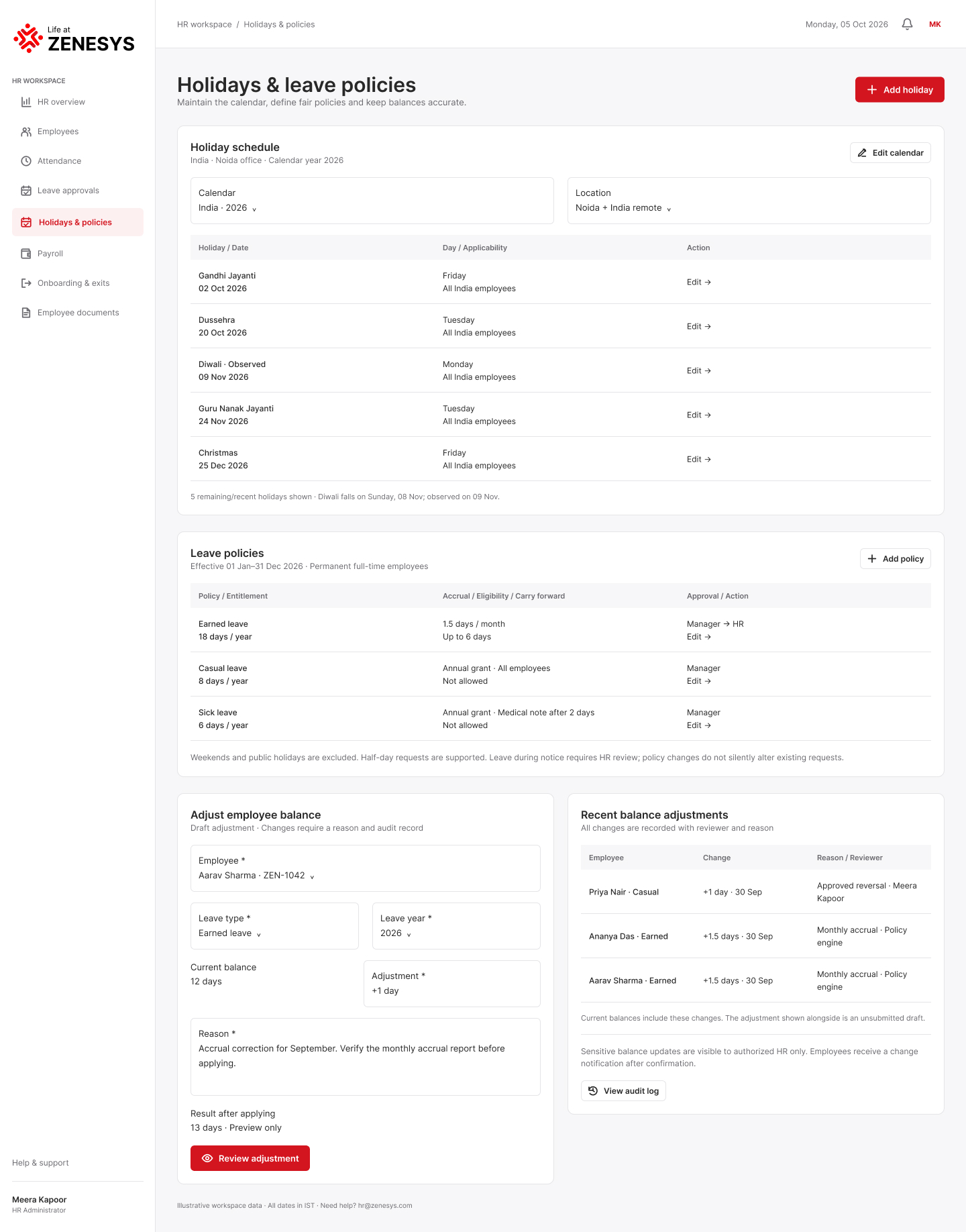
Explore the holidays & leave policies experience across desktop and mobile, with the responsive layouts designed as a connected product family.

Explore the payroll management experience across desktop and mobile, with the responsive layouts designed as a connected product family.
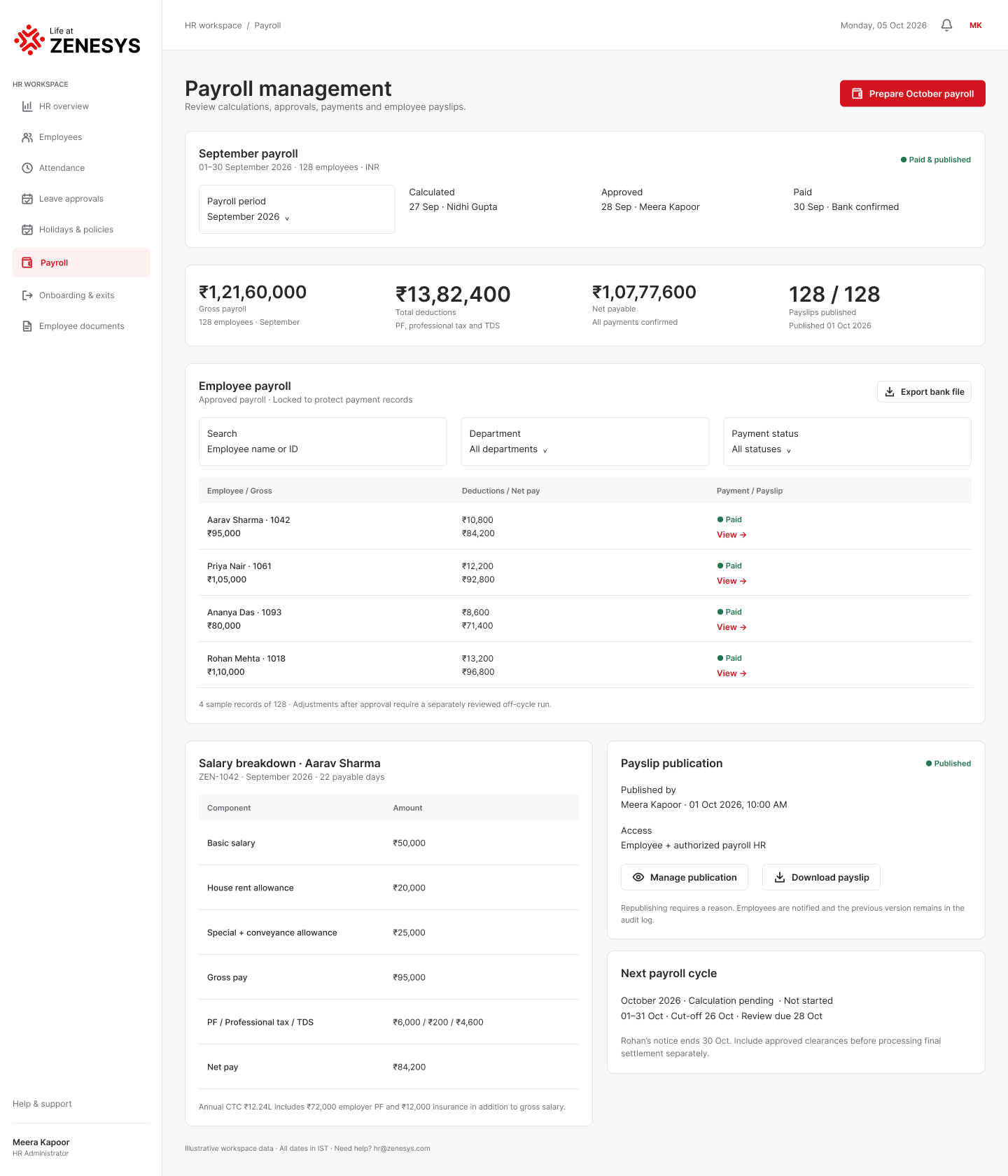

Explore the onboarding & offboarding experience across desktop and mobile, with the responsive layouts designed as a connected product family.
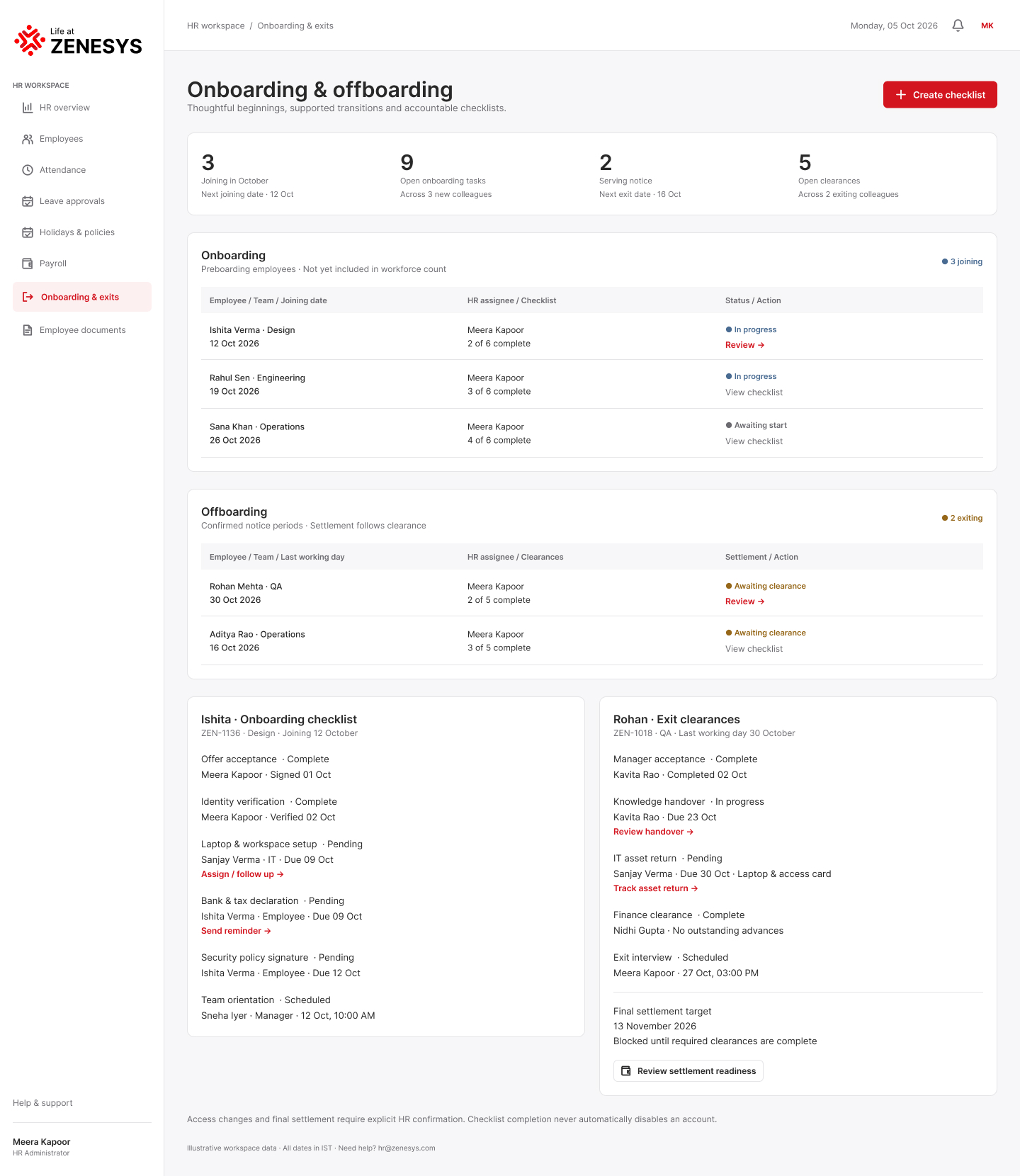

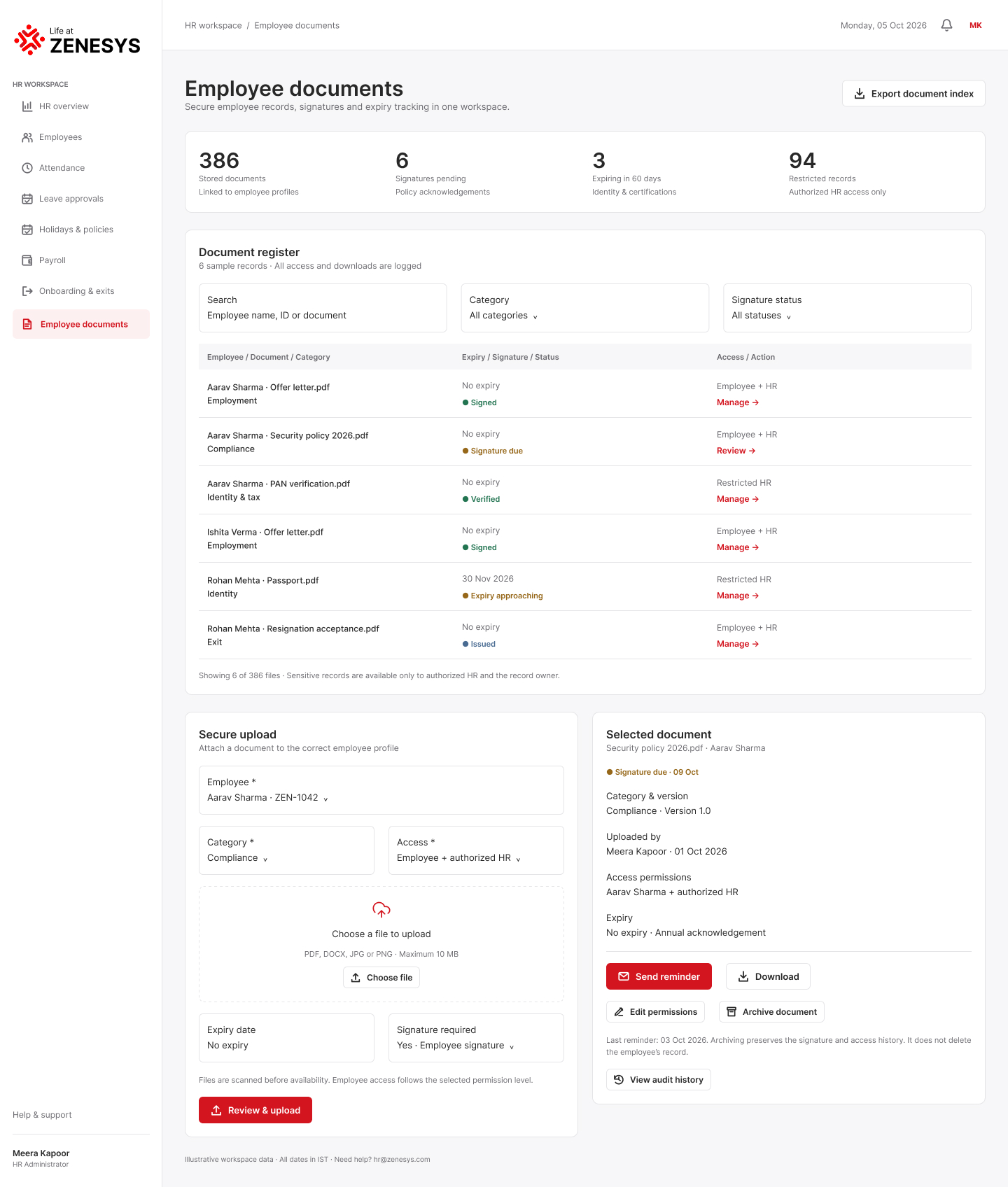
Explore the employee documents experience across desktop and mobile, with the responsive layouts designed as a connected product family.

10 / Design system
Hero: 48px on mobile · Body: 16px · Labels: 11px · UI actions: 12–14px.
Primary actions use the Zenesys red accent with compact 48px interaction height and 6px corners. Secondary actions use a white surface with a neutral border.
Product cards use restrained borders, 10–16px radii and light shadows. Information is grouped rather than over-decorated.
Tables, summary metrics, badges, approval states and secure document workflows keep dense enterprise data scannable.
11 / Responsive design
Large content workspace, side navigation, summary metrics, tables and multi-column management views.
Compact header, stacked content, card-based records and bottom navigation for thumb-friendly access.
The Figma file contains paired desktop and mobile frames for the same product areas, making responsive behavior part of the system itself.
12 / Design philosophy
Surface the information users need before asking them to search for it.
Keep the primary task clear and reveal deeper detail when required.
Use clear statuses, security cues and predictable actions for sensitive HR data.
Preserve task clarity across desktop and mobile rather than simply shrinking the UI.
AI assistance is introduced as a natural layer inside the employee workplace experience.
Final case study statement
Your workplace, simplified.
Life at Zenesys turns HR from a set of administrative destinations into one connected workplace experience. The design pairs approachable product storytelling with role-specific operational depth, supported by a consistent visual system and dedicated responsive screen families.