- Sign up / Login
- Basic personal details
- App preferences
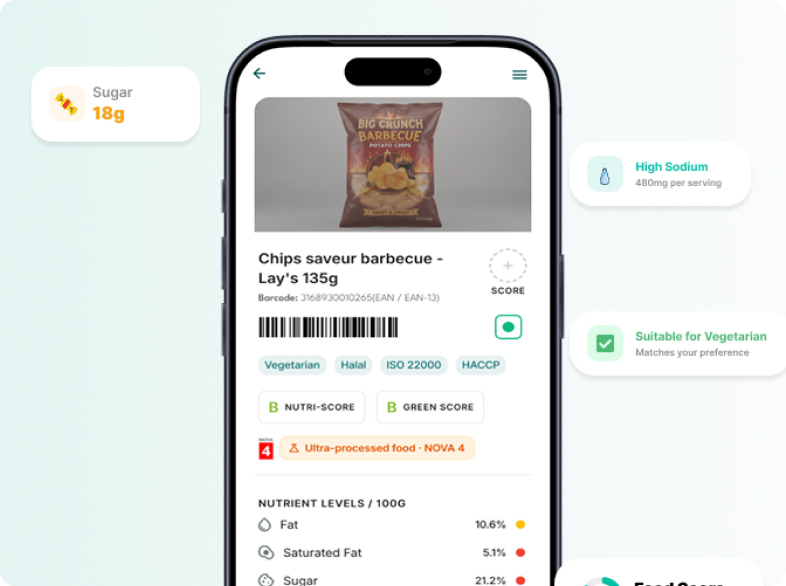
IngredLens is a personalized food and beverage scanning application designed to help people make safer and healthier purchasing decisions. Users can scan packaged food products to instantly understand their ingredients, nutritional values, allergens, and potential health risks. By considering a user's medical conditions, allergies, and dietary preferences, IngredLens transforms complex food labels into simple, personalized guidance:
Safe. Caution. Avoid.
The goal was to design an experience that answers one simple but important question:
“Is this product safe for me?”
Food packaging contains a large amount of nutritional and ingredient information, but understanding what that information means can be difficult. A product that appears healthy may contain ingredients that are unsuitable for someone with:
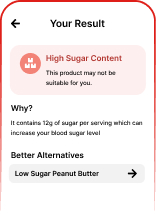
For example, a peanut butter product may look like a healthy choice. However, a person managing diabetes may need to understand whether its sugar and carbohydrate content could significantly impact their blood sugar.
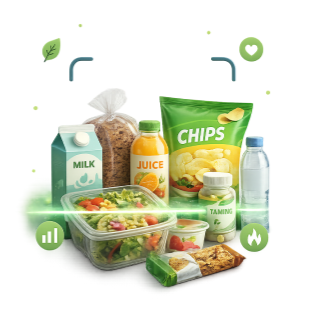
Food labels provide information, but they don't provide personalized answers.
Users often need to manually read ingredients, understand nutritional tables, identify allergens, and determine whether a product aligns with their health requirements.
The key UX problem became:
How might we help users understand whether a food product is suitable for their personal health profile within seconds of scanning it?
IngredLens uses a personalized health profile combined with personal-preference product analysis.
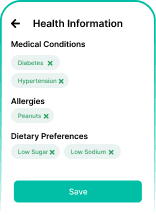
Instead of showing users only raw nutrition data, the app translates the information into personalized insights.
Instead of simply displaying: Sugar: 12g per serving
IngredLens can explain: Caution: This product contains 12g of added sugar per serving and may cause a significant blood glucose increase based on your diabetes profile.
The result is then categorized using a simple decision system:
Owned the experience from research through to the design system.
Where the work happened, from flows to final surface.
The primary users include people who want to make informed food decisions but may not have the knowledge or time to interpret complex food labels
Regularly check nutrition info and want faster product comparisons.
Diabetes, high blood pressure, thyroid, cholesterol, heart-related concerns.
Need to catch a trigger ingredient before it reaches the cart.
Vegetarian, vegan, Jain, non-vegetarian, keto, high protein.
“I don't understand all the ingredients.”
Ingredient lists often contain unfamiliar technical names.
“Checking every product takes too much time.”
Users need to make decisions quickly, especially while shopping.
“I don't know whether this is safe for my condition.”
Nutritional information is generic and does not explain personal health implications.
“I have to search for healthier alternatives separately.”
Discovering a better product often requires additional research.
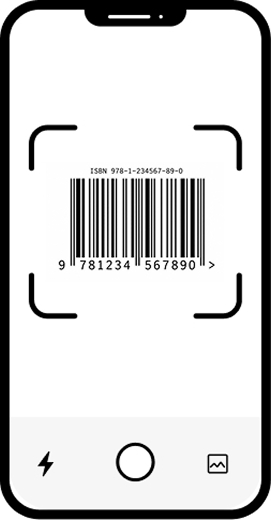
The scanner is the fastest path to product information
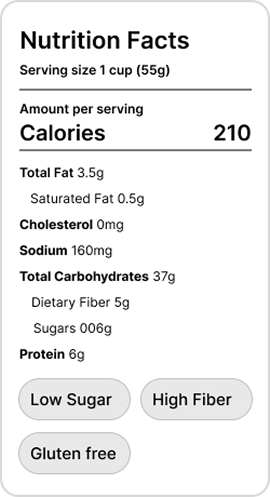
Every result weights conditions, allergies, and diet.
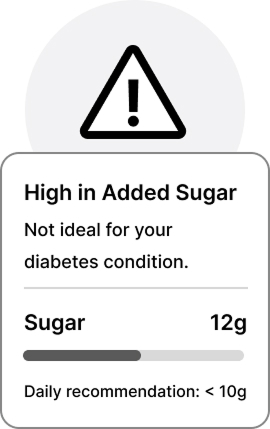
Clear visual signals instead of overwhelming medical data.
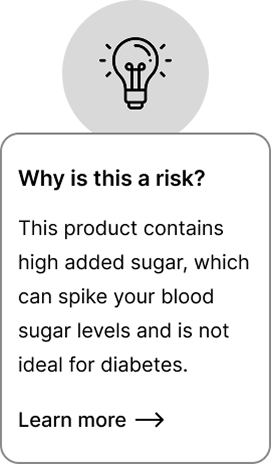
Users should understand why a product is safe or unsafe.
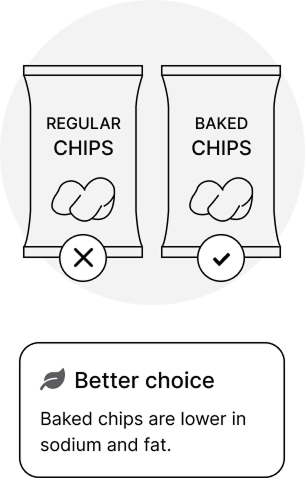
An unsuitable product is followed by a better one
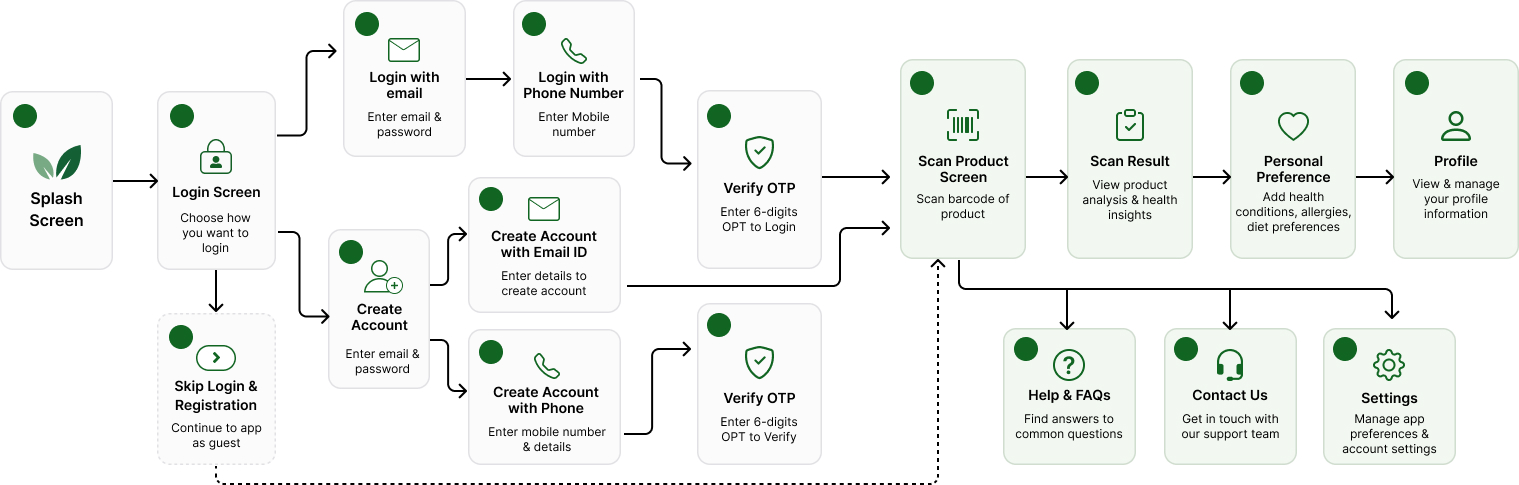
Complete user flow from app launch to key factors
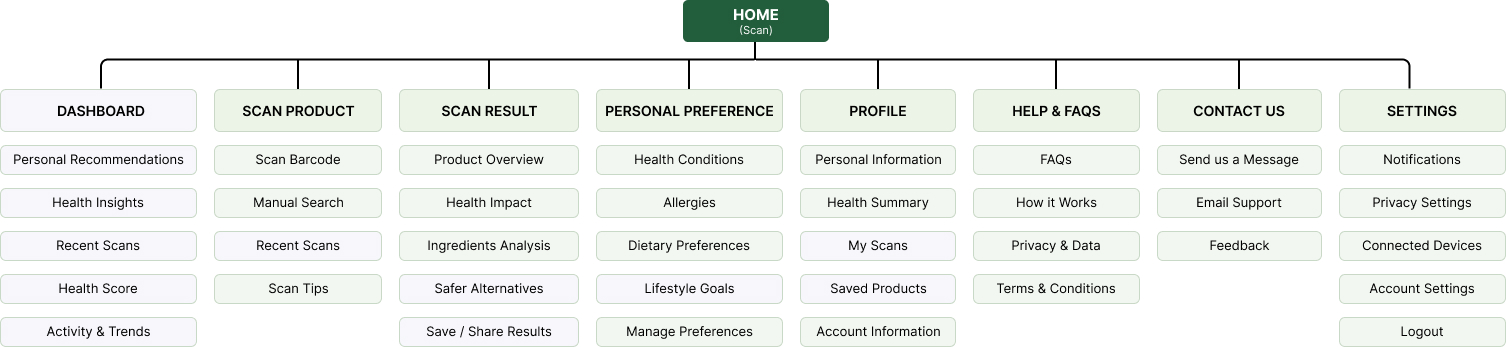
How the app is structured after the user is inside the application.
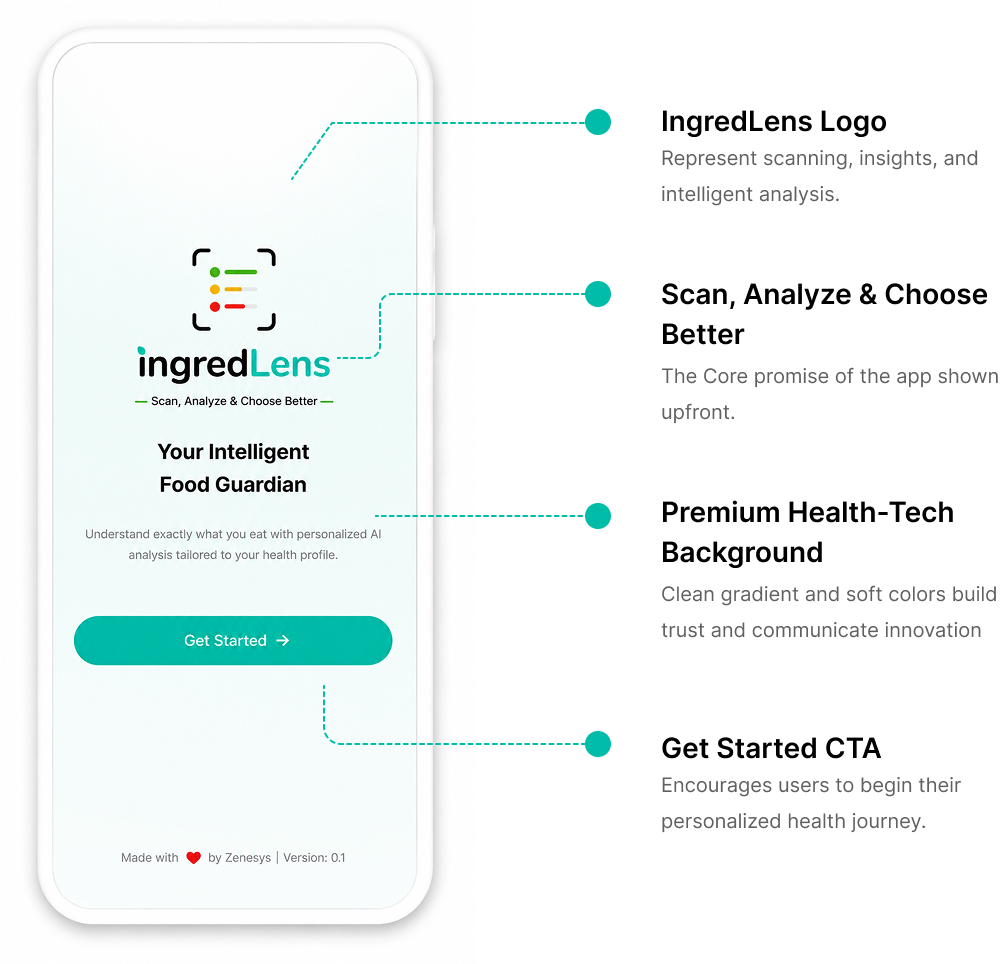
The splash screen establishes the product's health-tech identity.
The onboarding screen sets the tone for trust, simplicity, and intelligence. It communicates our core promise instantly and invites users to begin their health-conscious journey.

A modern, tech-forward logo that reflects scanning, insights, and intelligent analysis.

Our tagline that captures the app’s core promise in a simple and memorable way.

A subtle animation that brings life to the experience & highlights the scanning.

A clean gradient with soft hues that conveys trust, clarity and innovation.

Make user feel confident that they’re about to use a smart, reliable and personalized health companion.
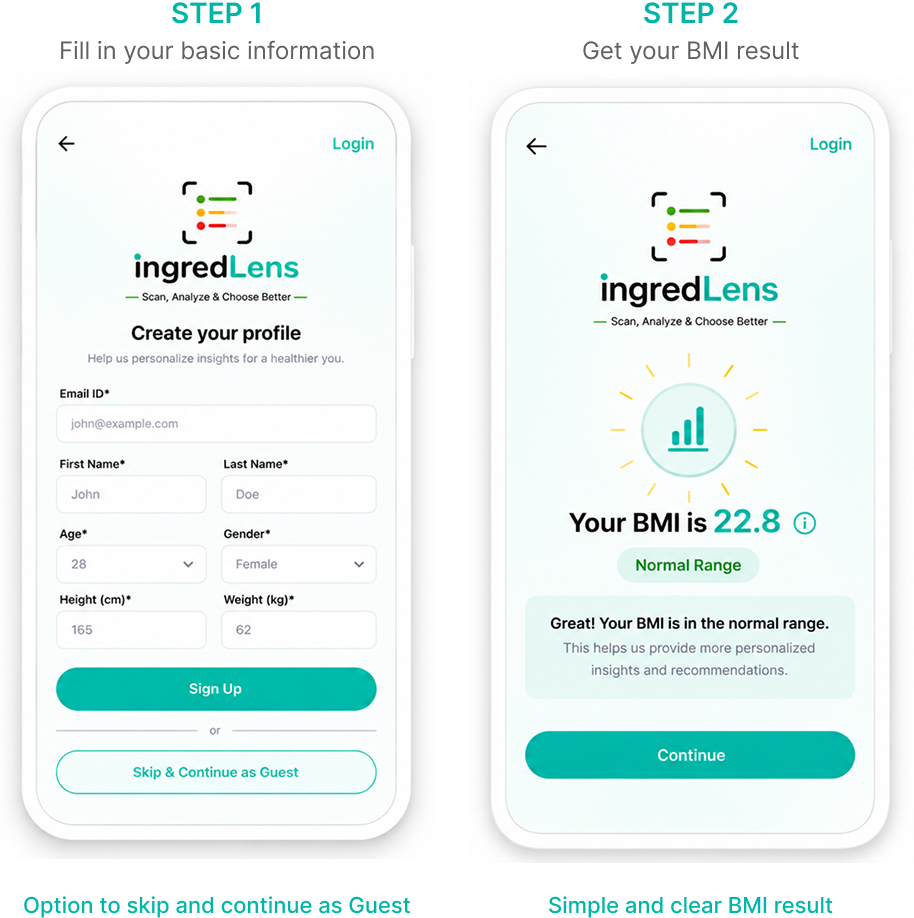
The registration experience collects key details to understand the user better and enable personalized insights. The app also calculates BMI automatically and offers a guest option for a seamless start.

We collect essential details like name,age, gender, height, and weight to personalize the experience.

The app automatically calculates the user's BMI and presents the result in a simple, easy-to-understand format.

BMI provides an additional data point that can support broader health and calorie-related personalization. However, we present it as an informative indicator, not the sole definition of a user's health.

A prominent "Skip & Continue as Guest" option ensures users can immediately access the core scanning feature without unnecessary friction.
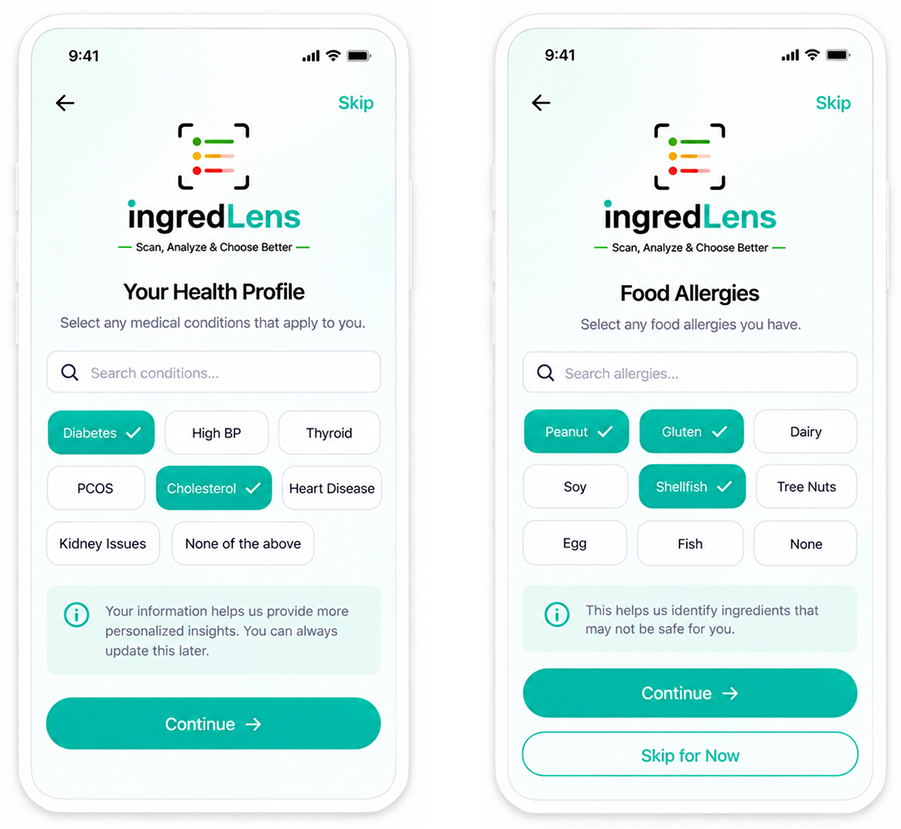
This screen enables personalization without making the experience feel like a complicated medical form.

Choose from common conditions like Diabetes, High BP, Thyroid, PCOS, Cholesterol, Heart Disease, and Kidney Issues.

Quick-select tags for common allergens like Peanut, Gluten, Dairy, Soy, and Shellfish.

We used selectable chips and tags instead of traditional checkboxes to make profile creation faster and more mobile-friendly.

Your selections help us provide personalized ingredient analysis and healthier recommendations.
Users can choose their preferred eating pattern and set their nutrition goals, helping IngredLens deliver more relevant food insights and personalized recommendations.

Select from vegetarian, vegan, Jain, non-vegetarian, keto or high protein using large visual cards.

Define your daily calorie target based on your lifestyle and goals.

Choose whether you want to lose, maintain or gain weight, and add your current and target weight.

These inputs allow recommendations to become more accurate and personalized to your needs.
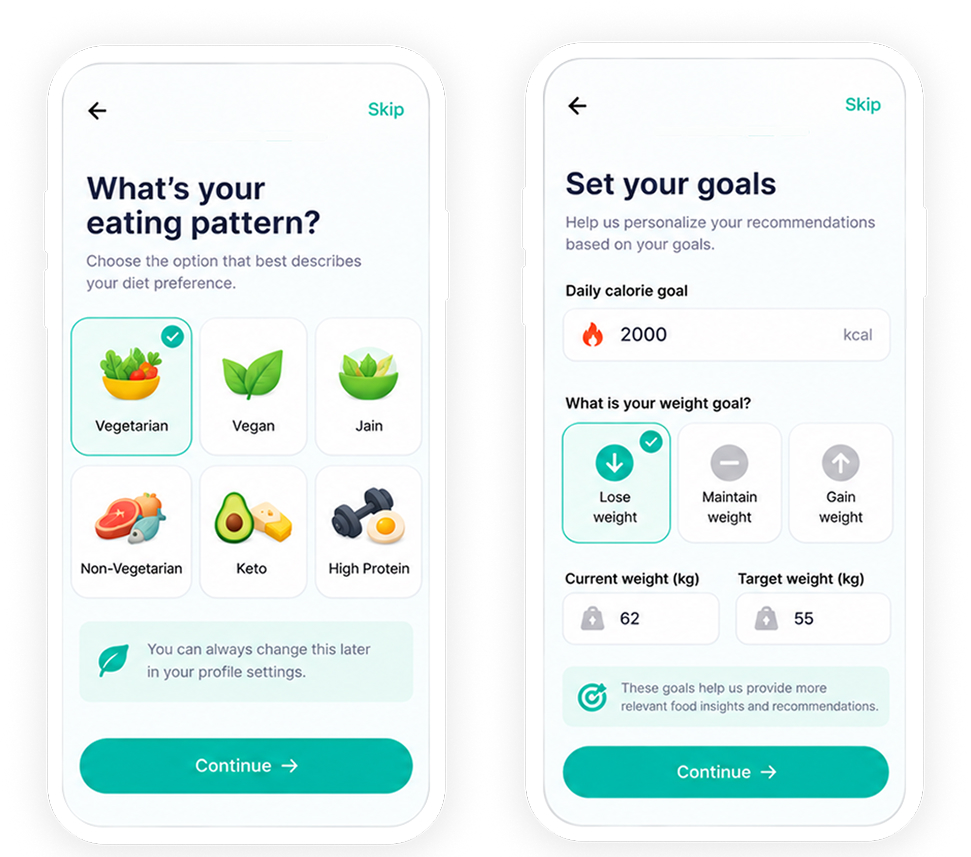

I used large visual cards and simple input controls to make personalization feel intuitive, engaging and mobile-friendly.
For new users, the dashboard focuses on discovery and trust - showcasing real stories and personalized recommendations even before they start scanning products.

Real stories build trust and show the value of personalization.

A curated selection of foods based on the user's profile.

Discover nutritious options that match your health goals.

Identify foods that may not be suitable for your condition.

Get smarter swaps for a healthier lifestyle.
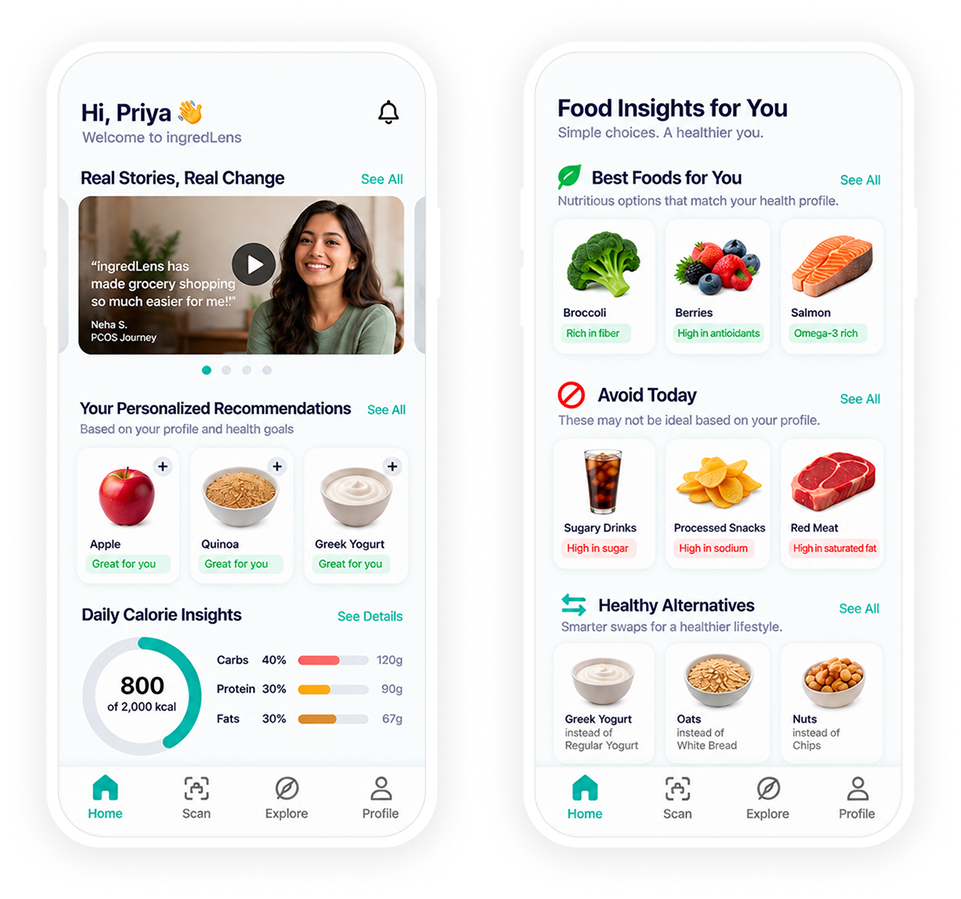
I designed a dynamic dashboard for new users to highlight the value of personalization early and build trust through real stories and curated recommendations.
For new users, the dashboard focuses on discovery and trust - showcasing real stories and personalized recommendations even before they start scanning products.
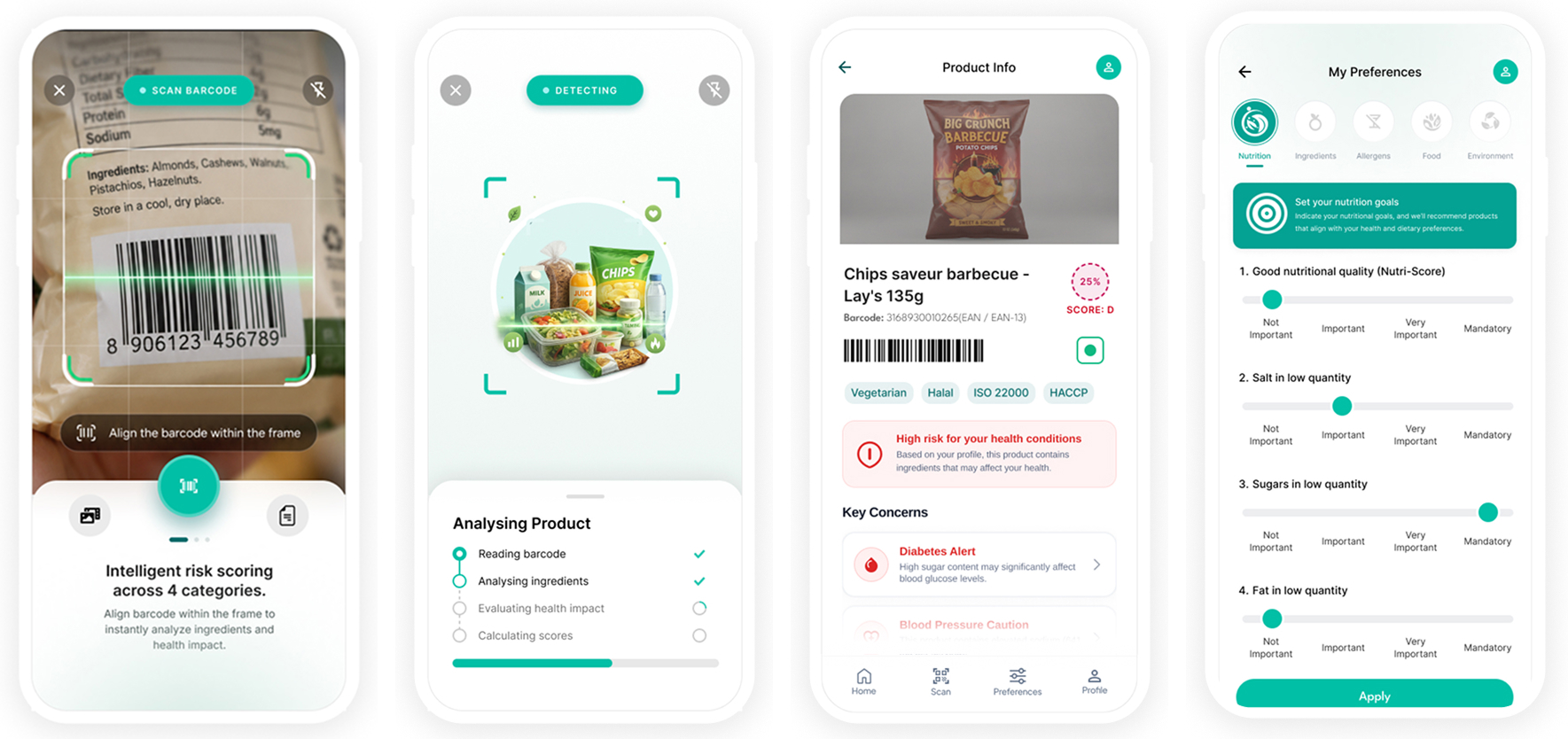





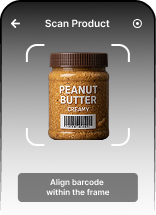
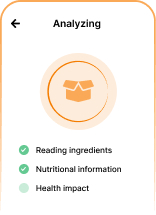
The user should always understand what the system is doing. That's why the scanning flow provides clear visual feedback at every step.
When a product presents significant concerns, the result screen communicates urgency without creating unnecessary fear. It converts complex nutrition data into simple, personalized insights and also suggests healthier alternatives.

Real stories build trust and show the value of personalization.

A curated selection of foods based on the user's profile.

Real stories build trust and show the value of personalization.

Real stories build trust and show the value of personalization.

Get smarter swaps for a healthier lifestyle.
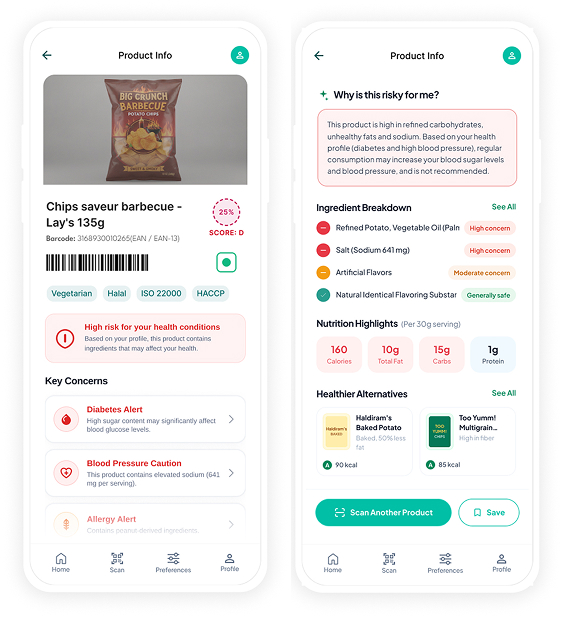
Inform, empower and guide users towards healthier choices - not just create fear.
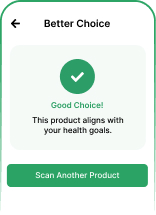
When a product is suitable for the user's health profile, the app provides a clear A-grade score with positive reinforcement, nutritional insights and similar healthy alternatives.

A clear and reassuring score to show this product is a healthy choice for you.

Confirms the product matches your medical conditions, dietary preferences and allergen profile.

Highlights key nutrients and the benefits of this product.

Shows what's inside and the overall ingredient quality.

Recommends better or similar alternatives for continued healthy choices.
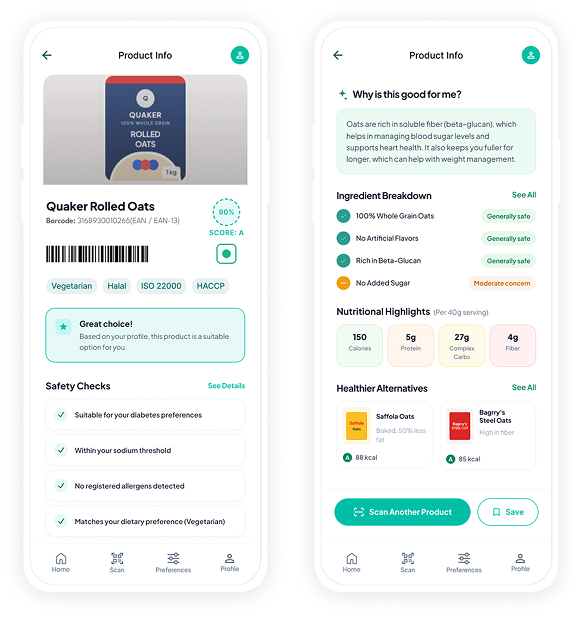
Reassure, inform and empower users to make confident and healthy food choices.